

Sep 28 to Oct 4, 2026
Conmigo opens straight to your calendar, even offline
Your plans are saved on your phone, edits made without signal are sent later, and you can ask friends to share theirs.
Your calendar is there when you open the app
No sign-in page and no waiting on a loading screen.
- Saved on your phone. Conmigo keeps a copy of your calendar, so your events are on screen the moment the app opens. It then checks for anything new and updates only what changed.
- Still there with no connection. If your signal is slow or gone, you see your calendar as it was the last time you opened it.
- Signing out clears it. If you sign out in another tab, or your account is signed out for you, the saved calendar is removed from the phone.
Make changes without a signal
Conmigo holds on to them and sends them when you are back online.
- Edits, moves and deletes wait. Change an event, drag it to another day or delete it offline. It is sent once you reconnect, even if you closed the app first.
- A small cloud shows what is waiting. Events with a change that has not been sent yet show a cloud on the month strips and in Today.
- Logging out is quick. It finishes at once offline and within five seconds on a connection that hangs.
Ask a friend to share their calendar
You can ask, and they can say yes in a tap.
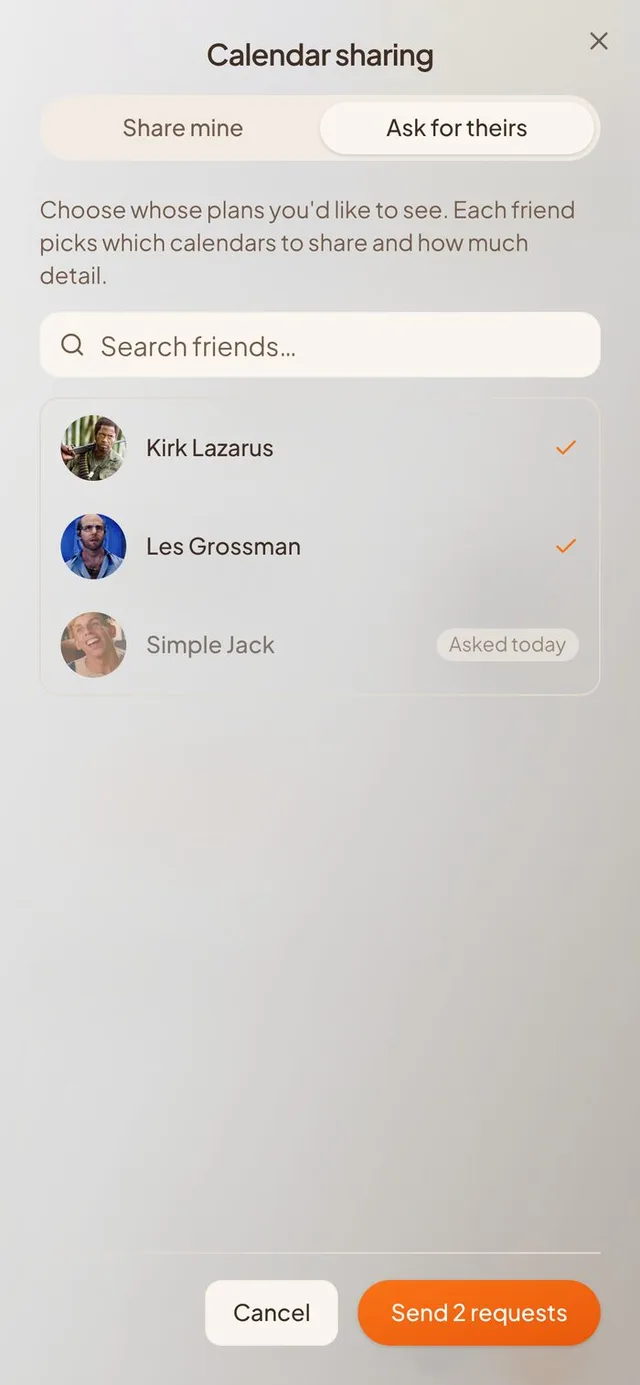
- Ask for theirs. The Calendar sharing screen has a new tab for asking a friend to share, or to share back when you have shared yours.
- Friends see your ask in Notifications. It sits above friend requests, so they can answer it there.
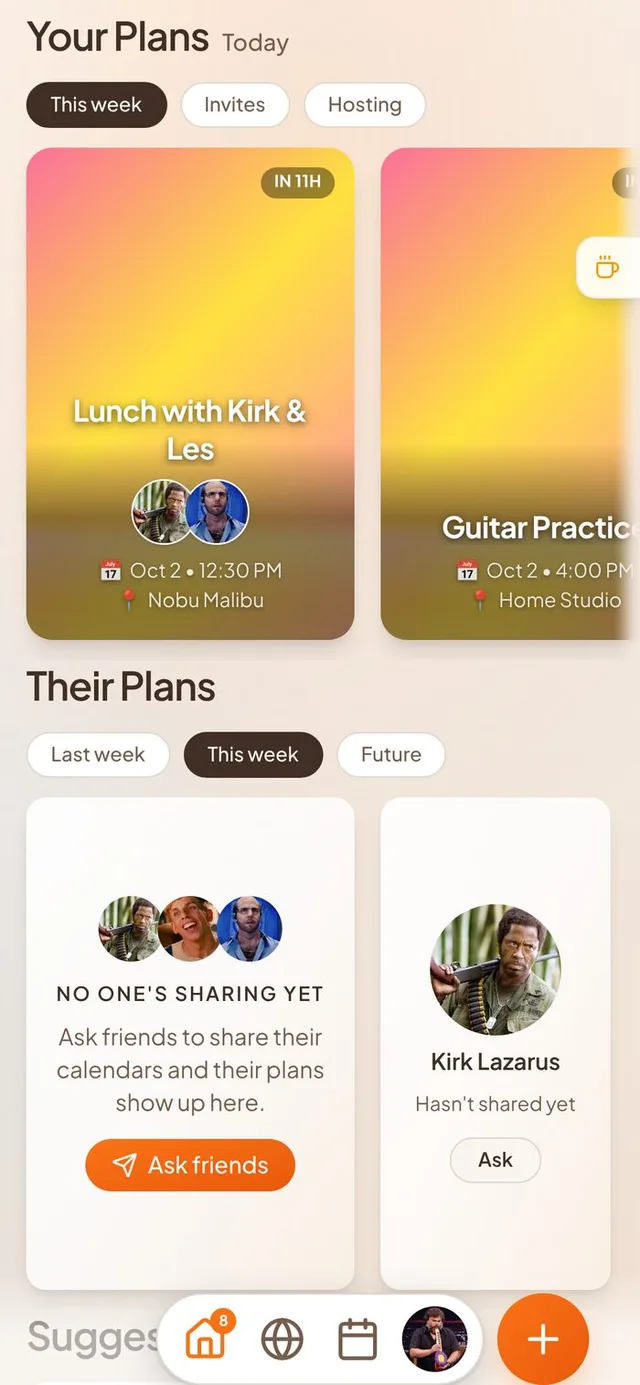
- Home suggests it. When nobody shares a calendar with you yet, Their Plans offers to ask friends.
- Preview before you share. Each privacy level shows what a friend would see on your own calendar. The screen fills the phone, and the dialog is wider on desktop.
Your other devices keep up
Change something once and see it everywhere.
- Within about a second. Edit, move, delete or answer an event, and your iPad, a browser tab or a second phone shows it almost right away.
- Less to download. Friends' new names and photos, shared calendars and new shares now load only what changed.
Swearing in your own notes is fine
Only slurs are blocked, and only in text other people can read.
- Private events are not checked. Ordinary swear words no longer stop you saving your own notes.
- Privacy policy updated. Text is checked against a word list on our side, and only photos go to an outside service.
A fresher look
New icons and tidier screens.
- 3D icons. The bottom menu, notifications bell, search buttons and your profile card's pencil and gear are now full colour.
- Clearer shadows. The bottom bar and the invite pages' bottom bar float over the page.
- Tidier forms. Event form fields sit at one height with matching corners, and nothing is cut off at the edges.
- Calendars dropdown. Buttons and drag handles line up, and shared groups can be reordered.
Smaller improvements
A few more fixes.
- Trip stops show the right time for guests in the same time zone as the host.
- Google Calendar descriptions show as text with bullets and links, not as code.
- Words on light event strips are dark enough to read.
- A vibe you receive shows on your map pin right away, and friends' pins refresh when you reopen the app.
- A friend request sent during setup shows a tick and "Requested".
- Duplicating by dragging puts the copy on the calendar only, not in trip item lists.
- A shared calendar you stop viewing leaves your calendar right away.
- iCloud Reminders lists are no longer imported as calendars.
- Calendars you have not opened in two weeks pause, and welcome you back when you return.