

Aug 6 to Aug 12, 2026
Create and share calendars from your calendar list
New buttons make a calendar or share one with friends. Every event also gets a nicer photo.
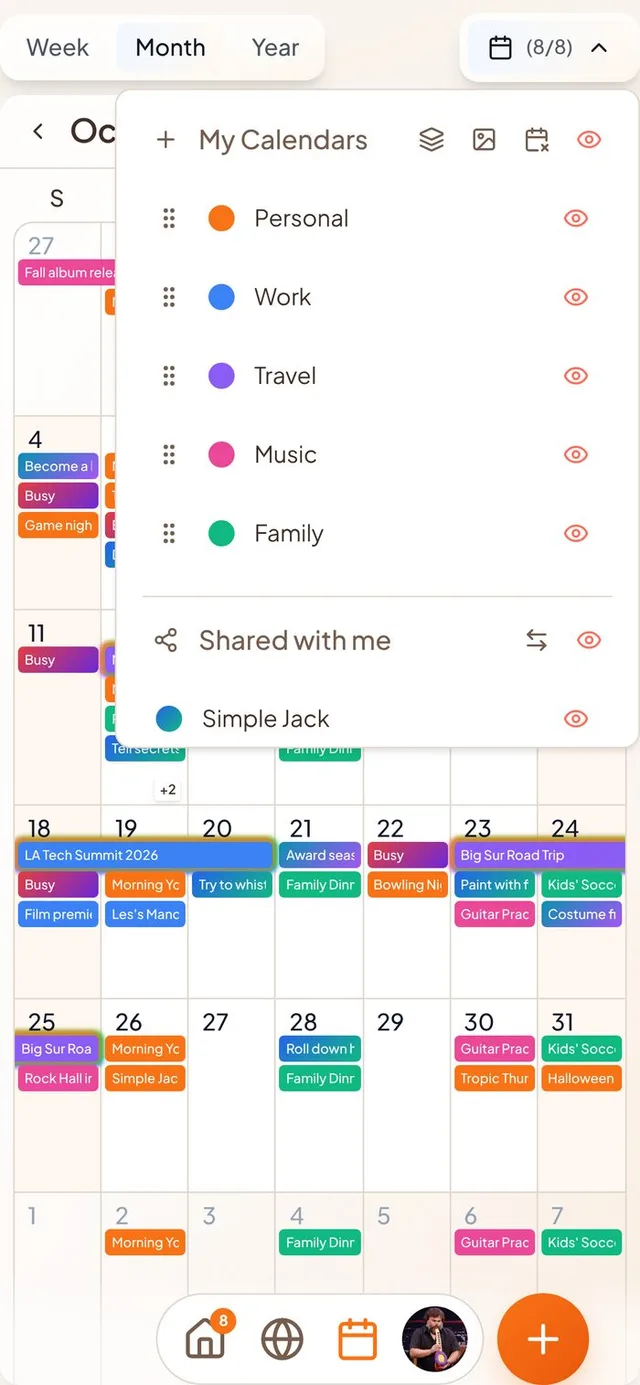
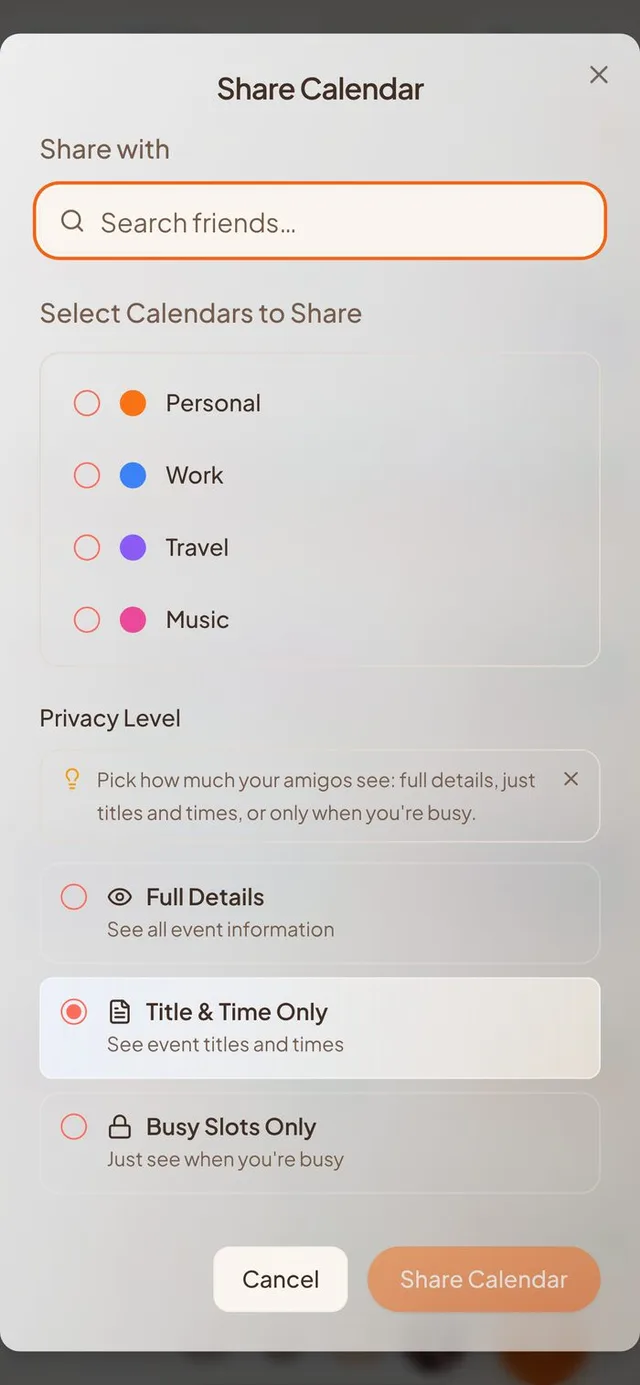
Calendars, made and shared in one place
No more digging through Settings to start a calendar or share one.
- New calendar. Tap the plus beside My Calendars, give it a name and pick a colour. Conmigo suggests a colour you aren't using yet.
- Share from your calendar list. Search your friends, choose one or several, and tick the calendars to share. Your Birthdays calendar is left out.
- Choose how much they see. Full Details, Title & Time Only, or Busy Slots Only. It starts on Title & Time Only.
Text blasts, easier to find
Hosts can message everyone on an event from the comment box.
- Megaphone at the top. The host's blast button now sits at the top right of the comment box, and the window is titled “Compose Text Blast.” The counter no longer covers the close button.
- Photos in notifications. A photo sent with a blast can now show up in the notification itself.
Every event gets a photo
Fewer blank covers, with no work from you.
- Photos for synced events. Events from Google, Apple and Outlook that have a place now get a photo of that place over the next few syncs.
- A cover for new events. New events start with a photo picked from a set of 25 that changes every month. Change it any time.
- Moved the event? If you change an event's location, the old place's photo goes away instead of staying.
- Roomier cover picker. On phones it fills the screen, and Pictures now comes first, then GIFs, Stickers and Gradients.
Smoother sign-up on iPhone
Setting up your account no longer trips you up.
- Your name sticks. When you sign up with a phone number, the name step stays on screen until you fill it in. Before, it could disappear and leave you with a placeholder name.
- Setup fits your screen. Each setup step now fills the whole phone screen, clears the notch, and keeps its buttons in reach.
- A faster finish. The last step closes right away, and its photo wall is far lighter, so it loads much quicker.
Clearer calendar connection problems
When something goes wrong, the app now says what.
- Apple Calendar. Settings tells a wrong password apart from Apple's servers being unreachable, so you know whether to retype it or wait.
- Replies that didn't send. If your RSVP can't reach the organizer through Google or Outlook, a message says so and offers a Reconnect shortcut.
Smaller improvements
A few more fixes.
- Switches are orange when on, like every other control.
- New events and map pins start in orange instead of blue.
- Buttons no longer stay highlighted after you tap them on a phone.
- Invite pages no longer show a “Download on the App Store” badge inside the app.
- The “Can't Make It” button looks the same everywhere.