

July 9 to July 15, 2026
Find friends by city on the Where map
Friends gather into tidy clusters and city pills filter the map. Plus a tidier event settings sheet.

A clearer Where map
Seeing where your friends are should feel calm, even when they are all in one place.
- Friends in tidy clusters. When several friends are close together, their faces pack into one neat blob instead of a pile. Tap a blob to zoom in and see each person.
- Smooth zooming. Clusters split apart and join back up while you zoom, and markers fade in and out instead of jumping.
- Friends at the same spot. Tapping a group of friends standing in exactly the same place now splits them up. Before, it could keep zooming without ever separating them.
- Tap a face to open a profile. Once you are zoomed in close, tapping someone's picture opens their profile straight away. The small name card is gone.
Find people by city
City filters now work on the map and on the Who page.
- City pills on the map. On phones, the Where map has a row of city and group pills instead of the old Filters panel. The Map label is hidden to save space.
- Every city shows up. Cities from friends' home addresses and from your own contacts now appear, and contacts are no longer hidden by a city filter by mistake.
- City and group work together. Pick a group and you only see cities where its people live. Pick a city and you only see the groups that live there.
- Two tidy rows on Who. The city pills on the Who page sit in two rows that scroll sideways, instead of wrapping unpredictably.
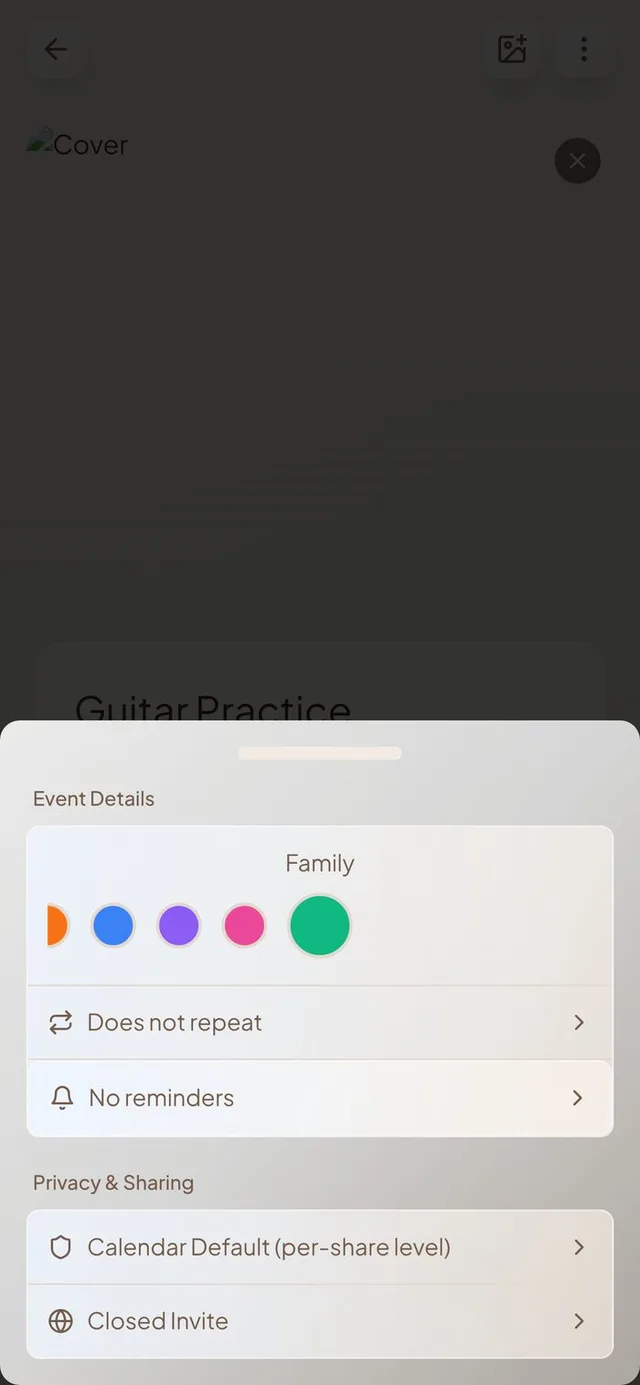
Event settings, grouped
Everything about an event is easier to find.
- Two clear sections. Calendar, repeat and reminders sit together under Event Details. Visibility and invites sit together under Privacy & Sharing.
- Invite options start off. New events no longer open to others or notify your connections unless you turn those on.
- Buttons stay put. The back, cover and settings buttons stay at the top of an event while you scroll.
- Remove a guest's reply. As host, you can remove an RSVP from someone you invited by link.
Holidays and calendar headers
Holidays look festive and headers stay readable.
- Holiday photos. Days with a holiday show a photo in the calendar cell. Cinco de Mayo is included.
- Headers that behave. The weekday headers in Week and Month no longer let events show through behind them, whatever background you picked.
- Full titles in Week view. Event titles wrap onto more lines in events that are an hour or longer.
Smaller improvements
A few more fixes.
- The bottom bar is wider and sits lower, closer to the edge of the screen.
- Event text is readable again in dark mode.
- The address suggestions list no longer hides behind the action bar.
- The Google sign-in spinner no longer gets stuck if you close the browser early.