

July 2 to July 8, 2026
Navigate Conmigo with a new floating bottom bar
Home, Where, Calendar and Profile sit in a rounded bar beside a Create button. Plus plans inside plans and trip links.
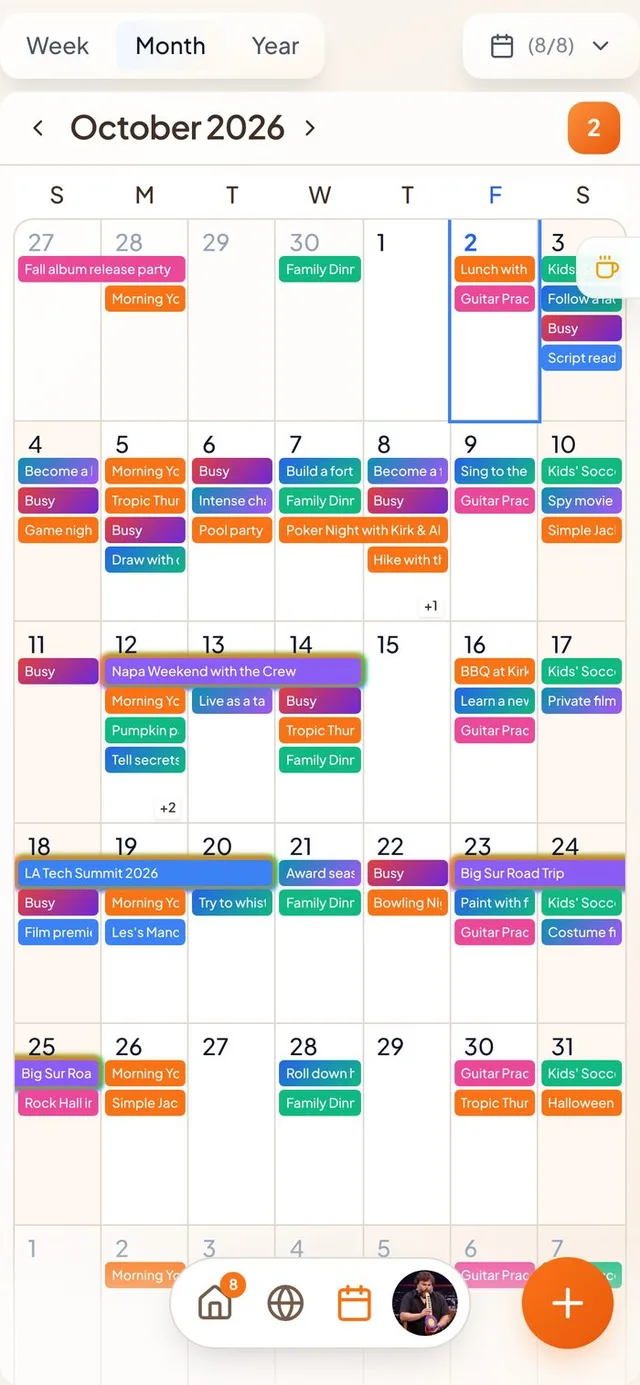
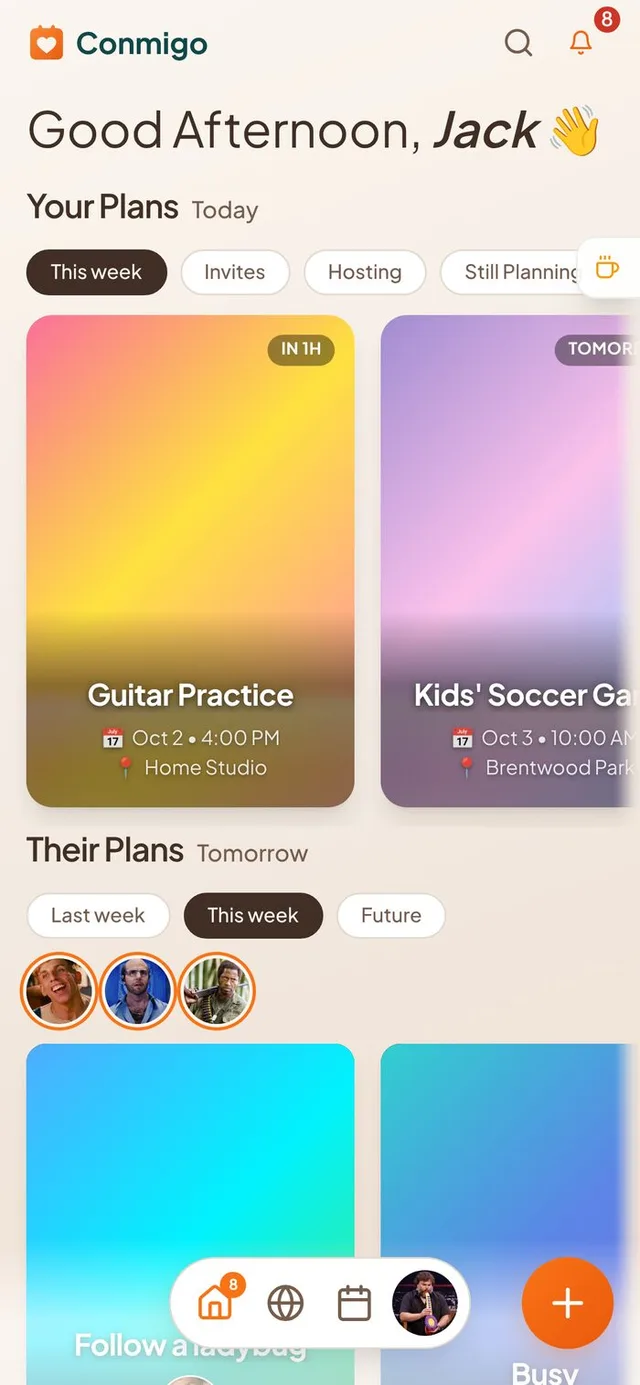
A fresh look for getting around
The phone app is lighter, and your content shows right to the bottom of the screen.
- A floating bar. Home, Where, Calendar and your Profile now live in a small rounded bar in the middle of the screen. Your content softly fades out behind it.
- A new Create button. Adding an event is a round orange button next to the bar, so it is always easy to reach.
- Orange means you are here. The tab you are on is orange everywhere, including Where and Calendar.
- Computers stay the same. On a big screen the top bar works as before. iPads in portrait now get the bottom bar too, where there was no navigation at all.
A better Month view
The month now fills your screen and scrolls the way the week does.
- Fills the screen. The days stretch to fit your phone. On shorter phones the rows shrink a little so more of the month fits.
- Scrolls under the weekday row. The letters S M T W T F S stay at the top while the days slide behind them.
- Clears the bar. The last week stops just above the floating bar instead of hiding under it. Week and Year views do the same.
Plans inside plans
Big trips can now hold smaller plans, which can hold even smaller ones.
- Three levels deep. A trip can have a day, and a day can have a dinner. They show up indented in the event and in the Today panel.
- Drag to organise. Press and hold an event, then drop it onto a bigger event to put it inside. You can also move events that are already in a trip to another trip. If a move is not allowed, you see why.
- Clearer trips. Each stop in a trip has a bigger title with its dates underneath.
Share a trip with a link
Send your itinerary to people who do not have Conmigo.
- Two kinds of link. Share a view-only page, or let guests reply to each stop on the invite page. You can turn the link off at any time and the same link comes back when you turn it on again.
- Dates you can see. Shared itinerary pages now show both the start and end date of a multi-day plan.
- Removing an invite link really removes it. Tapping the X on the invite link while editing used to only hide it. Now the link stops working.
Smaller improvements
A few more fixes.
- The new Exported Calendars page in Settings lets you subscribe to your Conmigo events from other calendar apps.
- You get a reminder to reconnect when a Google, Outlook or Apple calendar stops syncing.
- Google events no longer disappear when a friend declines or an invitation changes.
- Remove Photo and Remove Video now react instantly.
- Events show a time zone, like PST, when it differs from yours.
- Events inside a trip that span several days show correctly in Week view.
- On iOS widgets, an event that is happening now stays visible with a countdown to its end.