

June 25 to July 1, 2026
See which events are happening now on Home
Events in progress get a green “Now” badge on Home. Plus cleaner moving profile pictures and texts for guests.
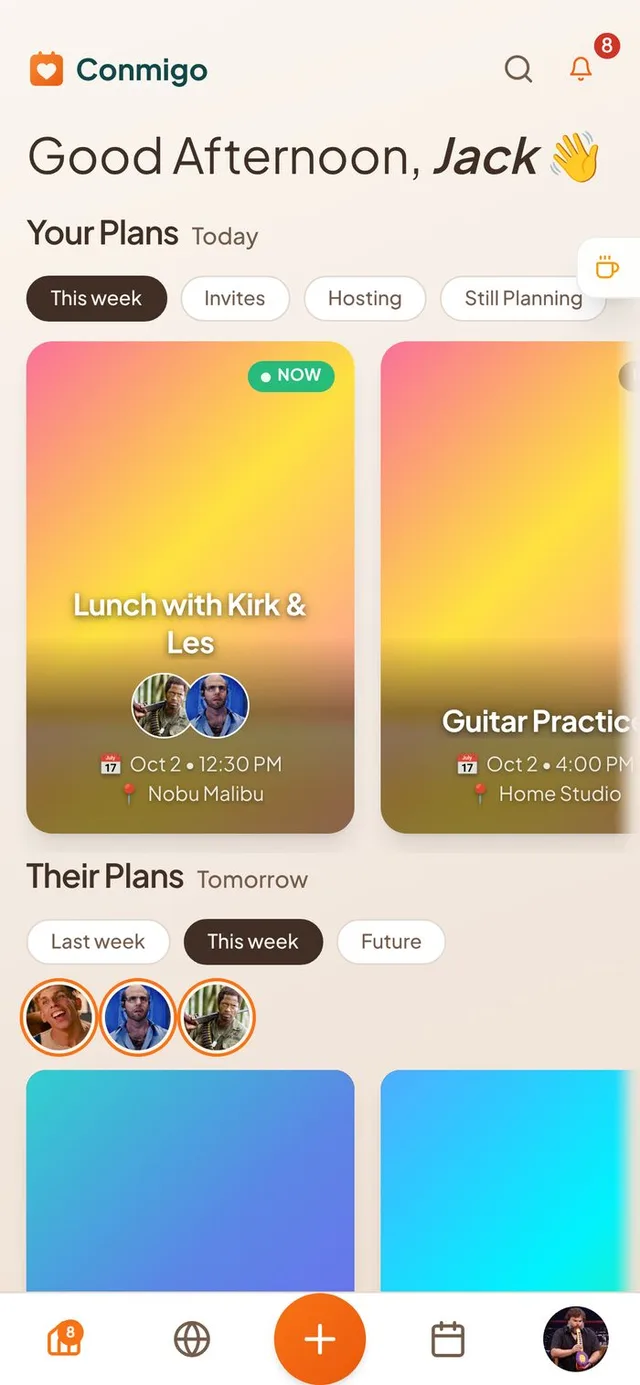
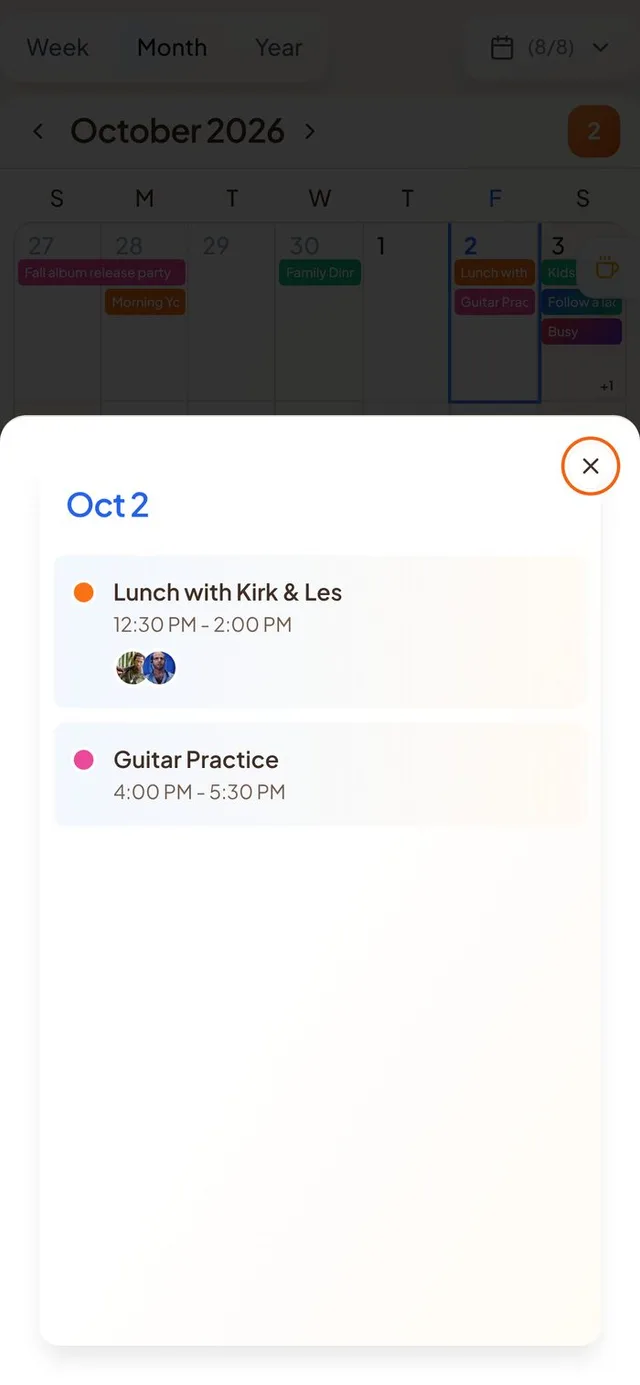
Home shows what is on right now
A quick glance tells you what has started and what is still to come.
- A green “Now” badge. Events that have started and not yet ended show a pulsing “Now” badge, in both Your Plans and Their Plans.
- “Done” means done. An event only shows “Done” once it has actually ended. Your row also scrolls so an event in progress stays in view.
- Swipe between days. In the Today drawer on your calendar, swipe left for the next day and right for the day before. Scrolling the list still works as usual.
Moving profile pictures
Your moving picture now looks clean and shows up where it matters.
- Cleaner look. Moving pictures sit on a clean orange circle, with no initials showing through behind you.
- Plays where it counts. Your moving picture plays on your profile, in the event window and in the top bar on computers. Smaller avatars stay still.
- Moving pictures for contacts. The Add Contact screen now has the same picture picker as your own profile, including a moving picture.
A calmer calendar
Events stop jumping around, and times read the same everywhere.
- No more flicker. Your calendar now only updates the events that changed, so events stop disappearing and coming back. It also opens faster.
- One clock. Event times in your calendar and on Home show in your own local time. An event's detail page keeps its own local time and says “local time” when that differs from yours.
- Why you can't edit. Events from a subscribed calendar now explain that they are read-only and where to change them. Events that synced from Google, Outlook or Apple can be edited and deleted again.
Guests get texts and a better invite page
People you invite by phone stay in the loop.
- Texts for guests. Guests who opt in get a text when they say yes, when the time or place changes, and two hours before the event. They can reply STOP at any time.
- Cancellations reach everyone. If you delete an event, guests are told, and no reminder fires for it afterwards.
- Better invite page. Invite links show the event's own cover in previews, replies appear live for everyone, and guests see a Download button after they respond.
Smaller improvements
A few more fixes.
- A new phone-number sign-in on the iPhone app, with a code sent by text.
- The first screen before you sign in has a larger logo and a Continue button near the bottom.
- Try-out accounts now show a Sign up now button on the profile page.
- Reordering calendars with an Apple Pencil works again.
- Friends' pins on the Where map stay put while you zoom the globe.
- Profile photos and event covers open in Conmigo's own cropper on iPhone, so you can pan and zoom freely.
- The cropper no longer pops back open after you accept a crop, and sticker and GIF covers land where you placed them.