

July 23 to July 29, 2026
Repeat events on the days you choose
Pick Mon, Wed and Fri with a tap, import a calendar file, and undo a deleted repeating event.
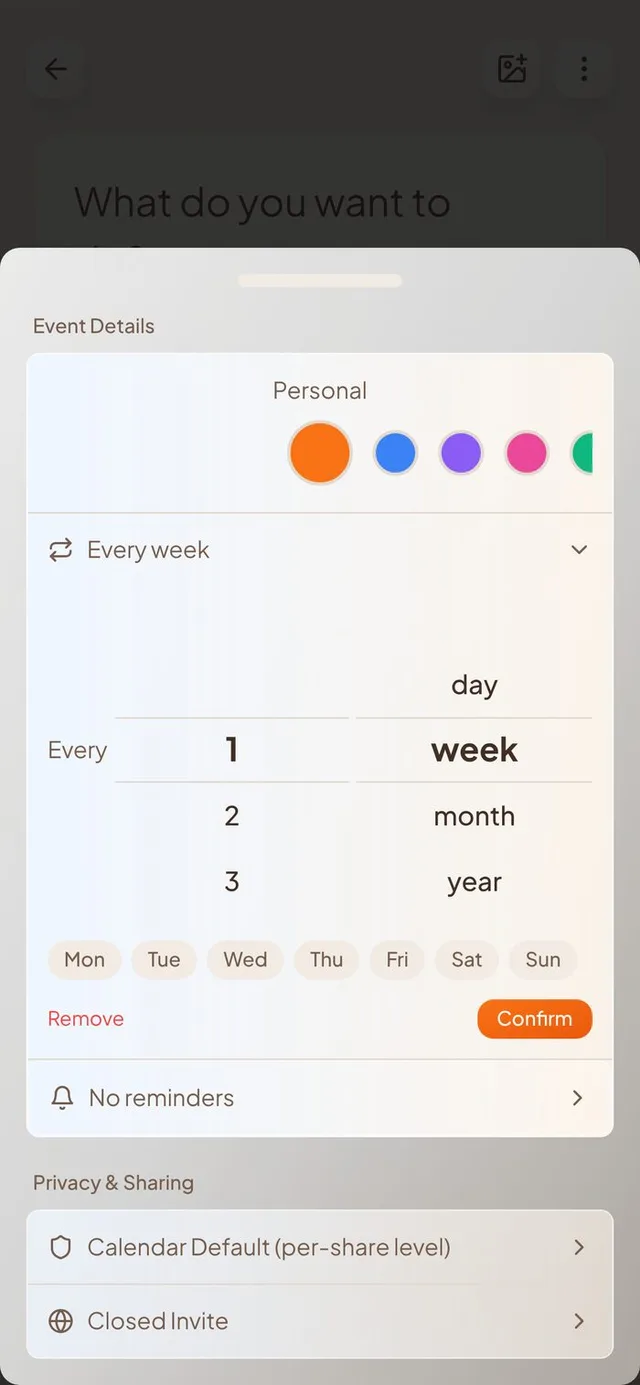
Repeating events, your way
Weekly events can now follow your real week, and deleting one is no longer final.
- Choose the days. When an event repeats every week, a row of day buttons from Mon to Sun appears. Tap the days you want, and the repeat line reads “Every week · Mon, Wed, Fri.”
- Undo a delete. Deleting one day of a repeating event now gives you a few seconds to tap Undo before it is gone. Deleting the whole series works the same way.
- Deleted days stay deleted. If you remove one day of a repeating event that comes from Google, Outlook or Apple Calendar, it stays removed after the next sync instead of coming back.
- Edits stay too. A single day you changed in Outlook or Apple Calendar keeps your changes when your calendars sync again.
Bring in a calendar file
Got an .ics file from another app? Import it in a few taps.
- Preview first. Choose a file and you see the events inside it. Then pick which of your calendars they go into.
- No double events. Import the same file twice and Conmigo skips what is already there. It tells you “imported” and “already existed” counts when it finishes.
- Quick, with progress. Big files import faster and show a live count. If a few events fail, you see how many, and the rest still come in.
- Works on your phone and computer. On iPhone it opens your Files. On a computer you can also drag the file onto your calendar.
More calendars, if you need them
Your first connected account is free.
- Extra account slots. Google, Outlook and Apple Calendar count together. When you want more than one, you can buy extra slots for $10 each on the web.
- Buy several at once. Pick 1 to 5 slots and the button shows the total price for the number you chose.
- The right count. After you pay, the message tells you how many slots you really got, even if you changed the number at checkout.
Smoother sign-up
Conmigo greets you by your name from the start.
- Name asked up front. If you sign up with your phone, Conmigo asks for your name before taking you in. Email sign-up has first and last name boxes.
- Your first name. The greeting on Home and your profile no longer show the start of your email address.
- Easier login buttons. On phones the button sits inside the card, and on computers it sits at the bottom. The links on the email screen are now orange so they look tappable.
Smaller improvements
A few more fixes.
- Shared itinerary links no longer show who was invited.
- Events a friend hides from you stay hidden on shared calendars.
- Only photos and videos uploaded through Conmigo can be used as profile and comment pictures.