

A calendar app for friends
Updated November 2026
Conmigo is a calendar for your social life: you and your friends share calendars, each at the level of detail you pick, and you can see when people are free without asking. When you have a plan, you invite people directly, send a link that works without the app, or open it to your friends so whoever's free can join.
See when your friends are free, without the group chat
"When are you free?" is where a lot of plans stall. On Conmigo, your friends' calendars can answer it. Share yours from the Calendars dropdown (the share icon next to Shared with me, then Share mine) and pick a level. Busy Slots Only is enough here: friends see when you're busy, not what you're doing. To ask a friend for theirs, use the Ask for theirs tab; they get the request in Notifications. If nobody shares with you yet, Home offers to ask.
With a few calendars shared, turn on Compare schedules in the Calendars dropdown. Your friends' calendars turn a single color and the free time is what's left.
Open invites: say where you're going, and whoever's free comes along
Some plans don't need a guest list. You're at the park on Saturday afternoon, or watching the game at a bar, and anyone around is welcome. Turn on Open Invite in the event and it shows on the Where map for all your confirmed friends. They can open it and RSVP without a direct invite.
Turn on Notify connections as well and they get an alert. The event's title is the message they receive, so you see exactly what you're sending. Nothing goes out by accident: every event starts closed and silent, and friends who'd rather not hear can turn open invite alerts off in their own settings.
Invites for friends who don't have the app
Your friends don't all need to be on Conmigo. Inside an event, open Invite Link and paste it into the group chat. Anyone who taps it sees the cover, time, place and description in their browser and RSVPs by typing their name; if they have the app, the link opens it instead. Or tap Send Invites, enter names with phone numbers or emails, and Conmigo opens your own messaging app with a personal invite for each one.
After that, the plan lives on the event. Everyone who has replied can comment, reply, react, and add a photo or a GIF. As host, you can text everyone at once with Compose Text Blast, filtered by Going, Can't Go or Invited, for the "running ten minutes late" or "we moved next door". Guests opt in to texts from the RSVP page.
Your people on a map, on your terms
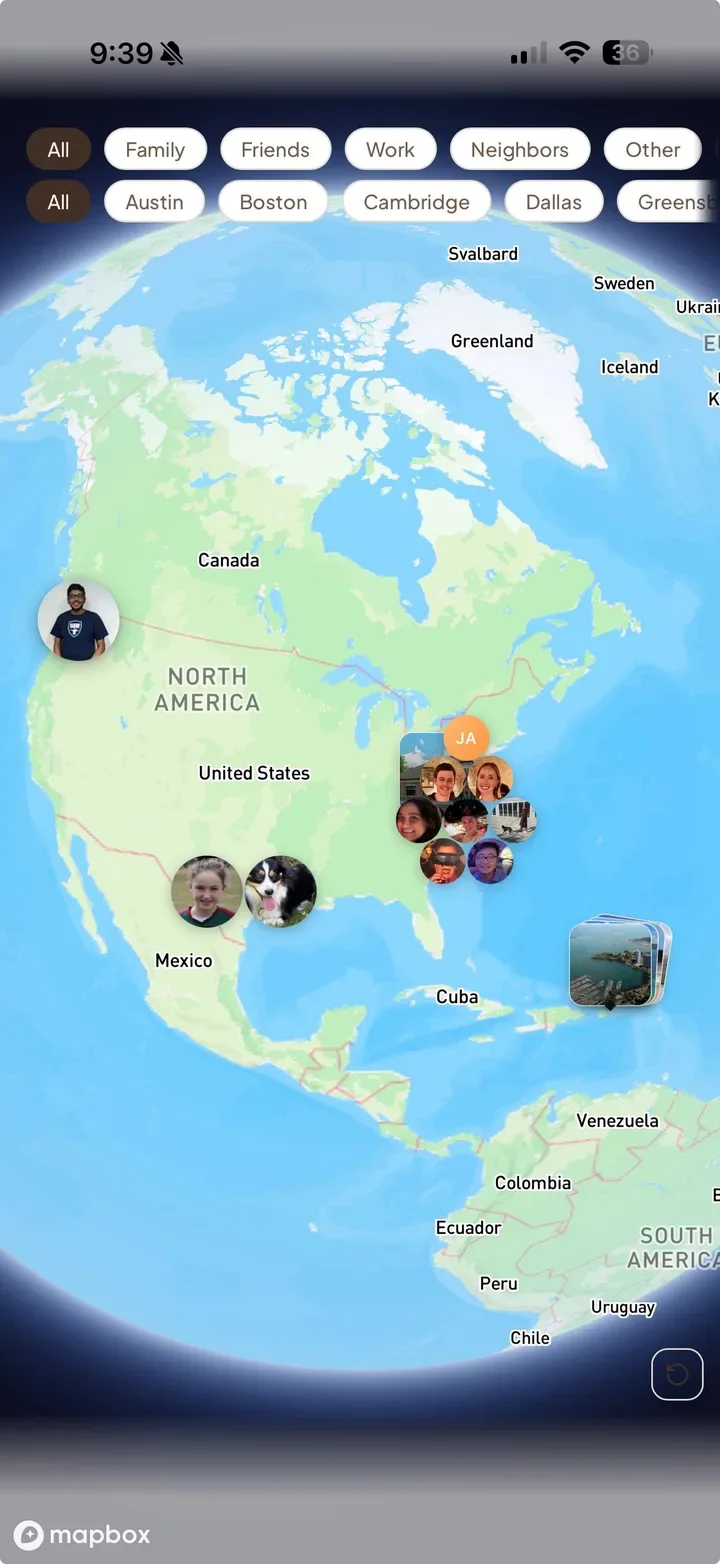
The Where tab is a map of your friends, your events and any open events in your network. What it shows about you is up to you, in Settings → Preferences → Privacy & Location. By default friends see your city, not your street. Live location stays off unless you turn it on. Places you have been lets friends see that you've been to a venue, as a count and your avatar, never when or with whom, and you can switch it off.
Places have their own pages too: you can see which friends have been there (when they've added the visit to their calendar), bookmark somewhere you want to try, and heart the ones you loved.
How to set it up
- Go to conmigo.io or open the iPhone app and tap Get Started.
- On the Who tab, tap Add your people: search by name or @username, or use Find friends from your contacts to see who's already here.
- Sort people into groups. Friends is there by default; Create New Group adds your own.
- Connect your calendar under Settings → Calendars & Events → Synced Accounts so your busy times are real.
- Share your calendar and ask for theirs.
- Make a plan with the orange +, then invite people, send the link, or turn on Open Invite.
Frequently asked questions
- Do my friends need Conmigo to come?
- No. Invite links open in any browser, and guests RSVP with just their name. No account, no download.
- Can friends see everything on my calendar?
- No. Events are private by default, and you choose what to share and how much: Full Details, Title & Time Only or Busy Slots Only.
- Is there an Android app?
- No. Friends on Android can use Conmigo in their browser, and invite links work for them like anyone else. The iPhone app is free.
- Is it free?
- The iPhone app is free. On the website, each account is free with one connected calendar account (Google, Outlook or Apple) and unlimited calendars inside it. Each extra connected account is a one-time $10. There's no subscription.