

Oct 12 to Oct 18, 2026
Pinch to see more of your week and year
Pinch the week sideways for wider days, slide along the Where map’s edge to zoom, and the tabs slide under your thumb.
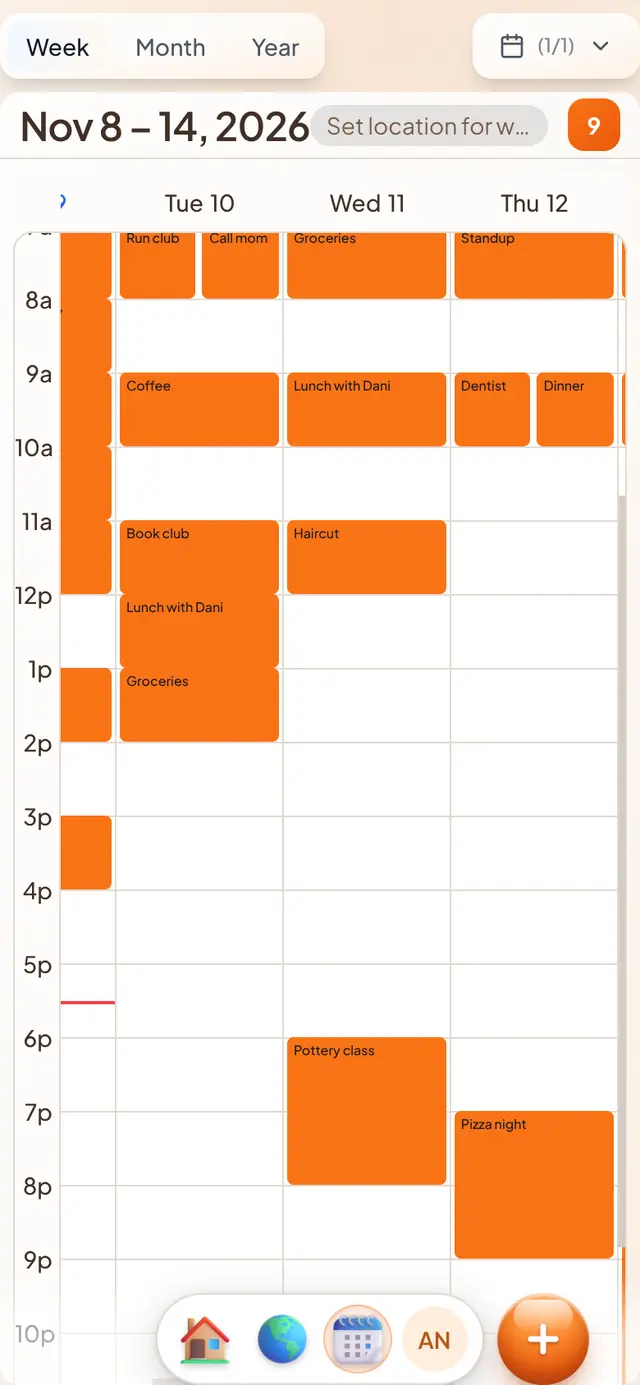
Pinch to see more of your calendar
Try it on the year and the week.
- Year view. Pinch to zoom, and pinch sideways to widen the days.
- Week view. Pinch sideways for wider days, up and down for taller hours. A small label says which one you are doing.
A new menu on the Where map
Three switches on the map’s right edge decide what you see.
- People, Places and Events. A white pill on the right edge with a switch for each. Turn one off and its pins fade away.
- Your saved places show up. Places you saved (“Want to go”) and loved (“Loved it”) appear under Places, from city zoom in. Tap one to open its venue drawer. Only your own show.
- Slide along the edge to zoom. Run a finger up the right edge to zoom in and down to zoom out. The edge bends in soft orange around your finger, and the menu giggles.
- Tap the globe to zoom out. On phones, tapping the globe zooms the map all the way out, and the separate zoom-out button is gone.
Smoother moves around the app
Small slides that make the app feel connected.
- The orange disc slides between the tabs. It glides to the tab you tap, the way the Week, Month and Year pill already did.
- The view pill slides into and out of Year. And the browser slides it the same way for every view.
- Days slide and fade. Weeks, months and the Today drawer’s days move in instead of snapping.
A faster way to plan a ride, and smarter titles
Behind the scenes work that you will see more of next week.
- Ride links. The app can now build Uber, Lyft and Google Maps directions links to a place.
- Titles understand more. The event title now recognises your friends’ names and when you mean, more accurately.
- Trip detection. Conmigo can now spot a trip in your calendar, ready for the same-city alerts that follow.
- Friends’ live points carry their time. Pins for friends sharing their location now know when they were last updated.
Smaller improvements
A few more fixes.
- Home cards: the photo blur is seamless, with no line across it.
- A sensitive-looking event, like a doctor’s appointment, is now spotted by whole words, including “Dr.”.
- The marketing page has hero checks, Docs and FAQ in the menu, one screen per step and a shorter finale.
- The iPhone app moves to version 1.2.0.