

Nov 9 to Nov 15, 2026
Your people, tidied into group tiles
Groups on your profile are now tiles of faces, sharing has one set of names everywhere, and you can send us feedback without leaving the app.
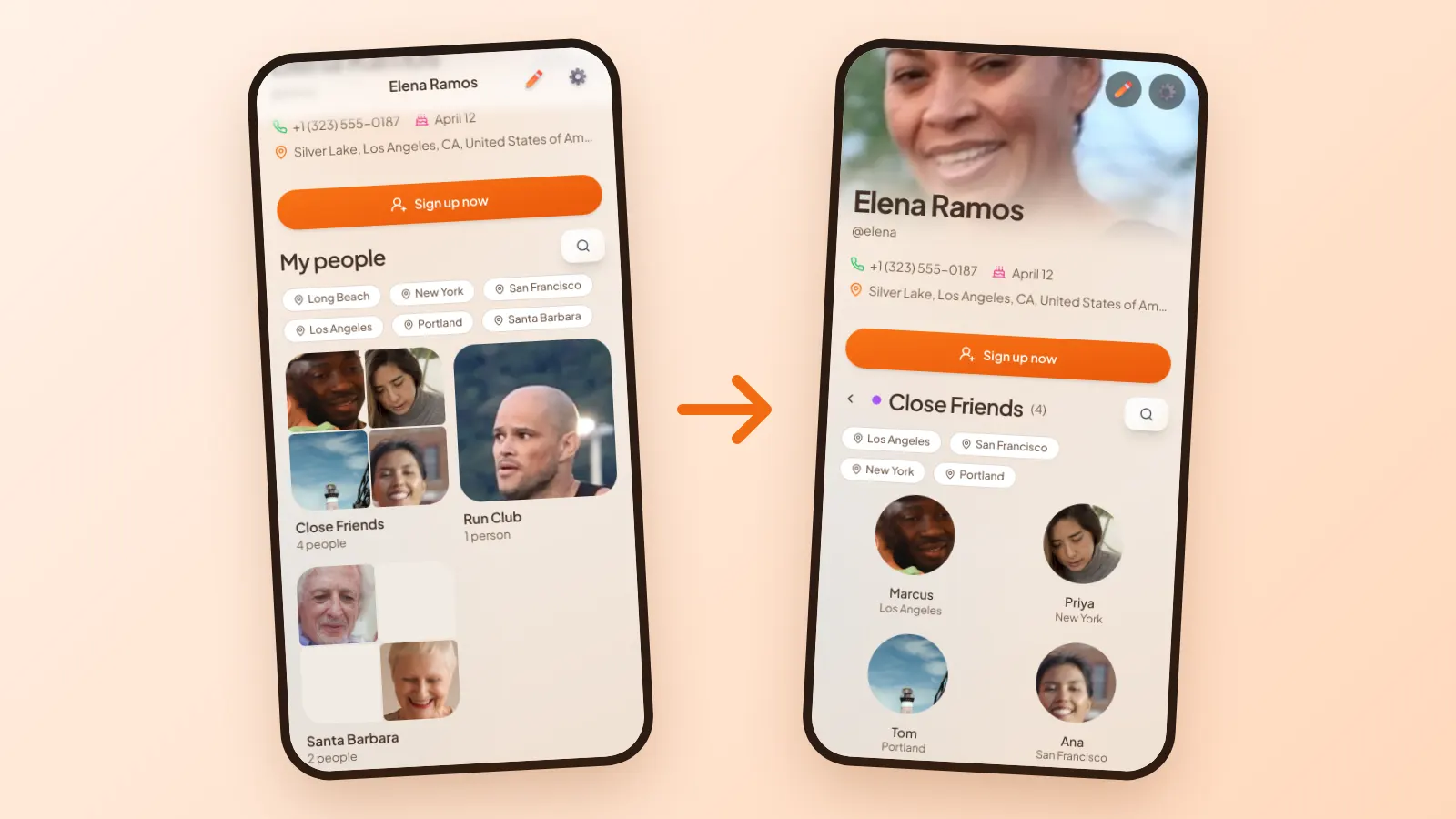
See your groups at a glance
Your profile’s My people section got a cleaner look.
- Group tiles. Each group is a square of its first four faces, with the name and the number of people underneath.
- Tap to open. The faces fly into their circles and the group opens into the people grid.
- Search sits at the top. The search button is now right next to My people, and the heading is simpler.
- A person’s actions live on their profile. A friend request shows up as a card with Decline and Accept, and a friend’s ⋯ menu holds the rest.
Sharing your calendar is easier to follow
Fewer words, and the same words everywhere.
- Three levels, one set of names. Full details, Titles & times and Busy only now read the same in the share dialog, Settings, and the privacy notice.
- A quieter sharing dialog. The extra hints and subtitles are gone. You can search for anyone, and there’s a clear row for inviting someone.
- Add calendar and Share calendars rows. They sit at the end of each section in the calendars menu, so the headings are no longer squished.
- Shared Calendars in Settings, by person. See who you share with and who shares with you. Change someone’s level from a picker, and use the new Share my calendar button at the top.
Invite links behave better
Opening a friend’s invite link now does what you’d expect.
- Blocks are respected. An invite link can no longer make friends across a block.
- Old requests are accepted. If you had already asked someone to be friends, using their link now makes it official, and you’re told about it.
- Search by @tag. Typing “@maria” now finds Maria.
Send feedback from inside the app
Find it in Settings under Help.
- Write it right here. Type your message and tap Send. Leave Reply by email on and we can write back.
- Prefer email or Reddit? Both are still one tap away.
Smaller fixes
- Dialogs now stay inside the screen on the folded iPhone Duo.